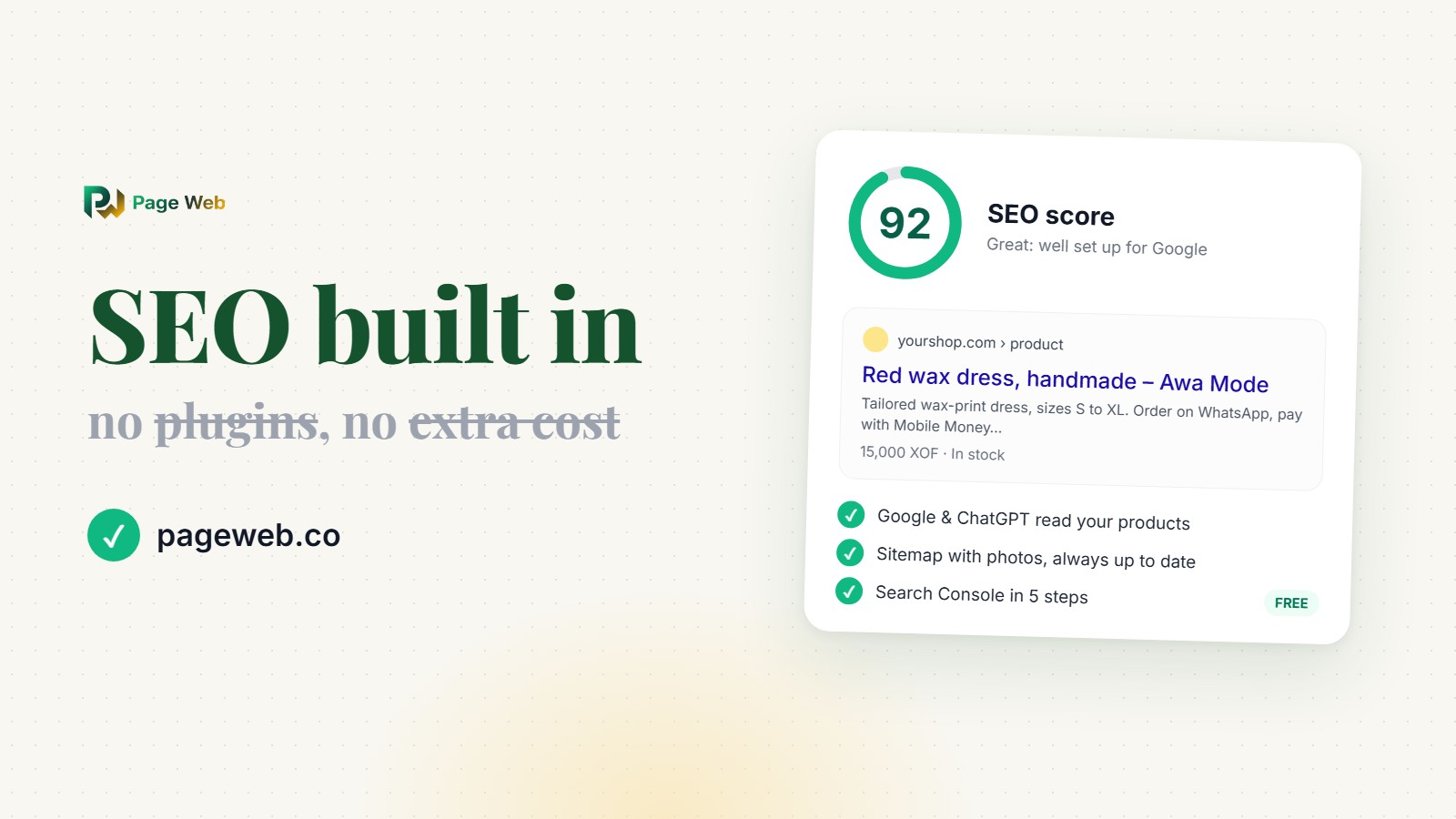
Short answer: on PageWeb, good SEO is not an add-on you buy, install and configure. It is built into every site, on every plan, including the free one. Your pages, products and photos are prepared for Google, Bing and AI assistants like ChatGPT automatically, and an SEO score in your dashboard tells you, in plain words, the few things only you can add.
Our rule at PageWeb: a small business owner should never need to learn the word "schema" or pay for a plugin to be found on Google. That is our job, not yours.
Why SEO usually costs small businesses time and money
When you build a site with WordPress or many store builders, the basics are there, but serious SEO often comes from extras: an SEO plugin (with a premium version sold every year), an app for product data, another for image descriptions, one more for sitemaps. Each one has its own settings, its own price, and its own updates. Some slow your site down. Some stop working together after an update. And at the end, you still have to understand what a meta description, a canonical URL or structured data is, to set them up correctly.
Most entrepreneurs we talk to don't have that time. They sell on WhatsApp, they answer customers all day, and they just want people searching for "robe wax Abidjan" or "car rental Lomé" to find them. So we decided to build all of it into PageWeb, and to keep it working ourselves.
What PageWeb does for you automatically
As soon as your site is online, without you touching any setting:
- Google, Bing and AI assistants read your real content. Many website builders send search engines an almost empty page and hope they run the JavaScript to see the rest. PageWeb sends them the real page right away: your business name, your description, every product with its photo, price and link, your blog posts and your contact details. That also matters for ChatGPT, Perplexity and other AI assistants, which often don't run JavaScript at all.
- Product data Google understands. Every product page tells Google its name, photos, price, currency and whether it's in stock, in the standard format Google uses for rich results. Your home page describes your business as a store or local business, with your contact details and the list of what you sell. Blog posts are marked as articles.
- A sitemap that stays up to date. Each site gets its own sitemap listing every page and every product photo, updated the moment you add or change a product. Products you keep as drafts stay out of it.
- Your images work for you. Photos load from your own address, not from a technical storage address. Each product photo carries the product's name as its description, and new photos are saved with readable names (like red-wax-dress.jpg), small signals that help Google Images.
- One address per page. If you connect your own domain, every page tells Google that your domain is the real one, so you never compete with yourself in search results.
- The right language. A French site tells Google it's in French, an English site that it's in English, so you're shown to the right people.
- Beautiful link previews. When someone shares your link on WhatsApp, Facebook or X, it shows your title, description and image, not a blank card.
What you control, in simple words
Some things only you know: how you want to be described, which photo represents you best. In Dashboard → SEO, PageWeb shows you exactly how your site appears on Google, in a WhatsApp message and in a browser tab. Click any part of the preview to change it:
- your Google title and description, with a counter that tells you when they're the right length;
- your share image and your site icon;
- your keywords, your sitemap address and your Facebook Pixel for ads.
Leave something empty and PageWeb fills it in from your business name, your description and your photos, so your site is never left blank.
The SEO score: your to-do list for Google
At the top of the SEO page, a score out of 100 shows how ready your site is, and lists what to do next, biggest gain first. No jargon, just actions like:
- "3 products have no description": Google reads descriptions, so a few sentences each help a lot;
- "Write your Google description": 50 to 160 characters that make people click;
- "Connect Google Search Console": so you can see your searches and clicks.
Each line is a button that takes you straight to the place to fix it. A handful of these fixes, most of them a few minutes each, can take a new site from 30 to over 80.
Google Search Console in 5 steps
Google Search Console is Google's free tool that shows which searches bring people to your site, how many click, and your position. Elsewhere, connecting it often means editing code or installing another plugin. On PageWeb, SEO → Google Search Console walks you through it:
- Open Google Search Console with your Google account.
- Choose "URL prefix" and paste the address PageWeb gives you.
- Pick the "HTML tag" method, copy what Google shows and paste it into PageWeb. The whole tag or just the code both work.
- Save, then press "Verify" in Google.
- Add your sitemap address (PageWeb gives it to you) so Google finds all your pages and photos.
Bing Webmaster Tools works the same way, with its own optional field.
PageWeb vs the plugin route
| What good SEO needs | The plugin route | PageWeb |
|---|---|---|
| Title, description, share image | SEO plugin, configured by hand | Built in, with live previews |
| Product data for Google (price, stock) | Often a separate app | Automatic on every product |
| Sitemap with images | Plugin or app | Automatic, always up to date |
| Image descriptions and names | Done photo by photo, or another app | Automatic from the product name |
| Content for AI assistants (ChatGPT...) | Rarely handled | Real page content, automatic |
| Search Console connection | Code edit or plugin | 5 guided steps |
| Knowing what to improve | SEO knowledge or a paid audit | SEO score with one-click fixes |
| Price | Plugins and apps on top of your plan | Included, even on the Free plan |
Frequently asked questions
Is SEO really free on PageWeb?
Yes. Everything in this article works on every plan, including the free one. Pro ($4.99/month) adds things like your own domain name and more products, but you don't pay anything extra for SEO.
Do I need my own domain to appear on Google?
No. A site at pageweb.co/your-name can be found on Google too. Your own domain (like yourshop.com) looks more trustworthy and is easier to remember, which helps, and PageWeb sets it up for Google automatically when you connect it.
How long does it take to show up on Google?
Usually from a few days to a few weeks for a new site. Connecting Google Search Console and adding your sitemap helps Google find your pages faster. After that, good product descriptions and photos make the biggest difference.
Do I need to know SEO to use this?
Not at all. PageWeb handles the technical part, and the SEO score tells you what's left in plain words. You can also ask Tina, your assistant in the dashboard, to guide you step by step.
Will ChatGPT and other AI assistants know my business?
They can. PageWeb gives AI assistants your real page content (products, prices, photos and contact details), the same way it does for Google, so they have something accurate to read when people ask them for a business like yours.
Get found, starting today
Good SEO used to be a job for experts and a line in your budget. On PageWeb, it's part of your website from the first minute. Create your free site, open SEO in your dashboard, and follow your score.