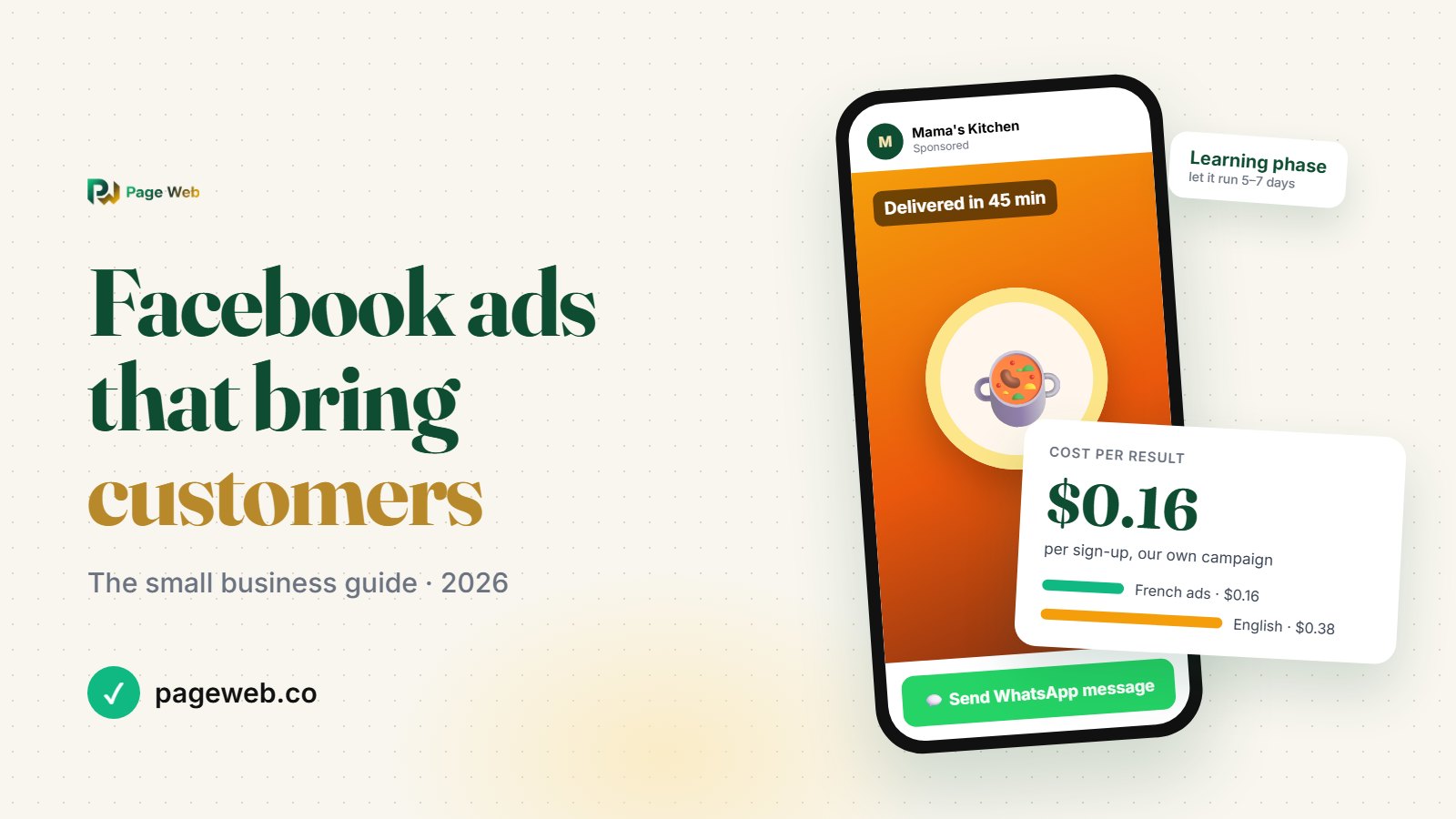
Short answer: to run a Facebook ad that brings real customers, use Meta Ads Manager (not the "Boost" button), pick the objective that matches what you want people to do (a WhatsApp message, a visit to your website, a sign-up), start with $3 to $5 a day per audience, use a short vertical video with subtitles, keep your audience broad, and don't touch the ad for 5 to 7 days while Meta learns. Send people to a page where they can buy or order right away, like a product page with an "Order on WhatsApp" button.
We wrote this guide while running our own Facebook and Instagram ads for PageWeb in October 2026. The advice below comes from what we saw in Ads Manager, not from theory.
Key facts about Facebook ads for small businesses
- Where to create them: Meta Ads Manager (adsmanager.facebook.com). One ad can run on Facebook, Instagram, Messenger and WhatsApp Status at the same time.
- Budget: Meta accepts very small daily budgets, but $3 to $5 a day per ad set gives it enough data to learn.
- Learning phase: Meta needs about 50 results in 7 days to stabilize an ad set. Every big edit restarts this phase.
- Review time: most ads are reviewed within 24 hours.
- Best format in 2026: vertical video (9:16 for Stories, Reels and WhatsApp Status, 4:5 for feeds), with subtitles, 15 to 60 seconds.
- Best objective for businesses that sell on WhatsApp: Engagement with WhatsApp as the message destination ("Click-to-WhatsApp").
- Tracking: the Meta Pixel on your website plus a tracked link for each ad, so you know which ad brought each visitor.
Boost post or Ads Manager?
The blue "Boost post" button on your Facebook Page is the fastest way to spend money, and usually the least effective. A boost mostly buys likes and views from people who will never buy. It gives you very little control over the goal, the placements or the tracking.
Ads Manager takes 15 more minutes the first time, but you choose exactly what you pay for: messages, website visits or sign-ups. You also see which ad, which country and which placement brings results. If you're spending real money to get customers, use Ads Manager.
What you need before you spend a single dollar
- A Facebook Page for your business (and ideally an Instagram account linked to it). Ads are always published in the name of a Page.
- A place to send people. This matters most. If people land on an empty profile or a page with no price and no way to order, you're paying for nothing. A website with clear products, prices and a WhatsApp button turns clicks into orders. Here's how to create one for free.
- WhatsApp Business on your phone if you want people to message you, with a quick welcome message so nobody waits.
- The Meta Pixel on your website. It's a small code that tells Meta who visited your site, so it can show your ads to similar people and retarget visitors.
- A payment method that works for online payments. Ads Manager bills you as you spend, and it stops your ads if a payment fails.
Step 1: Choose the right objective
Facebook shows your ad to the people most likely to do what you asked for. Ask for the wrong thing and you'll get it, cheaply and uselessly. These are the 6 objectives and when to use them:
- Engagement → WhatsApp messages: the best choice for most small businesses in Africa. People tap the ad and a WhatsApp chat opens with you. Ideal for shops, restaurants, salons and car rental.
- Traffic: sends people to your website. Good when your site does the selling (product pages, prices, a WhatsApp order button). Optimize for "Landing page views", not "Link clicks": Meta then looks for people who actually wait for your page to load, not accidental taps.
- Leads: collects contacts or sign-ups. It works best when your website reports the sign-up back to Meta (a "conversion event"). This is what we use for PageWeb sign-ups.
- Sales: optimizes for purchases. Only use it if your website sends a "Purchase" event to Meta, and you need enough sales for Meta to learn from.
- Awareness: shows your ad to as many people as possible. Cheap views, rarely customers. Keep it for later.
- App promotion: for mobile apps only.
Our advice: if you take orders on WhatsApp, start with WhatsApp messages. If your website has a product page with an order button, test Traffic (landing page views) against it.
Step 2: Set a budget that lets Meta learn
The most common mistake is spending $2 for one day, getting nothing, and concluding that "Facebook ads don't work". Meta needs time and data to find your buyers.
- Start with $3 to $5 a day per ad set (about 2,000 to 3,000 FCFA). That's $20 to $35 for a full first week.
- Use a daily budget, not a lifetime budget, while you test.
- Plan for at least 5 to 7 days before judging an ad. The first 2 days are always unstable.
- To scale a winner, raise the budget by 20% at most every 2 to 3 days. Doubling it overnight often sends the ad back into learning.
- Set an account spending limit in Billing so a mistake can never cost more than you planned. Just remember to raise it when you scale, or your ads will stop on their own.
Step 3: Target broadly, and let Meta find your customers
Instinct says "target as precisely as possible". In 2026 that's usually wrong. Meta's algorithm finds buyers better than interest lists do.
- Location: the cities or countries you actually deliver to or serve. One ad set per language or market (for example, one in French and one in English).
- Age: keep it wide unless your product is clearly for one age group.
- Interests: optional. With most objectives, Meta treats your interests as a suggestion and goes beyond them anyway.
What we learned with our own campaign: we limited our audience to people with interests like "small business owners" and turned on the option to strictly limit the reach. Both ad sets then spent well under their daily budget, and one stopped delivering completely on its second day. A smaller audience means fewer people for Meta to choose from, so it spends less and learns more slowly. If your ads aren't spending their budget, widen the audience first.
Step 4: Placements and formats
Leave Advantage+ placements on. Your ad then runs wherever it's cheapest: Facebook and Instagram feeds, Stories, Reels, and WhatsApp Status. In many African countries, WhatsApp Status and Facebook Reels bring very cheap views.
Upload two versions of the same video:
- 9:16 (vertical, 1080×1920) for Stories, Reels and WhatsApp Status.
- 4:5 (1080×1350) for feeds, where it takes up more of the screen than a square.
In Ads Manager, you can set a different video for each placement. Check the preview of every placement before you publish, because Meta sometimes swaps one version for the other.
Step 5: Make a video people stop for
Your video matters more than your targeting. On a phone, people decide in under 2 seconds whether to keep scrolling.
- Show the result in the first 3 seconds: the dish, the finished hairstyle, the car, the product in someone's hands. Not your logo.
- Add subtitles. Most people watch with the sound off.
- Speak your customers' language. The same video in French and in English, as two separate ads, beats one bilingual video. In our campaign, the French ad brought sign-ups at less than half the cost of the English one.
- Show the price, or at least "from…". A price filters out curious people and attracts buyers.
- End with one clear action: "Order on WhatsApp", "Book your table", "See the collection".
- Use real photos of your products. Never use photos or logos from other brands. Meta can reject the ad, and customers lose trust.
You don't need a studio. A well-lit phone video, with captions added in a free editing app, does the job.
Step 6: Write the text and choose the button
- Primary text: 2 or 3 short lines. Who it's for, what they get, why now. For example: "Fresh jollof, delivered in Lagos Island in 45 minutes. Order on WhatsApp, pay on delivery."
- Headline: the offer in 5 to 7 words.
- Button: pick the one that matches the action: "Send WhatsApp message", "Shop now", "Book now", "Sign up".
- No false promises. Don't write "50% off" if it isn't true, and don't use other brands' names. Meta reviews every ad, and customers notice.
Step 7: Track where every customer comes from
Without tracking, you can't tell which ad works. Set up two things:
- The Meta Pixel. On PageWeb, go to SEO → Facebook Pixel and paste your Pixel ID (numbers only, from Meta Events Manager → Data sources). It's free on every plan. Meta can then build audiences of your visitors for retargeting.
- A tracked link for each ad. Add a tag to the URL (for example
?utm_source=fb_ad_october). On PageWeb, the share links on the Analytics page give you one ready-made link per channel (Facebook, Instagram, WhatsApp, TikTok). Visitor analytics then show exactly how many people each one brought.
Then compare what Ads Manager says with what you actually received: messages, orders, bookings. Ads Manager counts results its own way. Your orders are the truth.
Step 8: Read your results, and know when to act
Check these numbers in Ads Manager after 3 days, then after 7:
- Cost per result: what you pay for each message, visit or sign-up. Compare it with what a customer is worth to you.
- Link click-through rate (CTR): below 0.8%, your video or text isn't stopping people. Change the first 3 seconds.
- CPM (cost per 1,000 impressions): it tells you how expensive the audience is. It's often far lower in Africa than in Europe or the US.
- Frequency: how many times the same person saw your ad. Above 3 or 4, people get tired of it. Make a new video.
- Amount spent vs. budget: if the ad spends much less than its budget, the audience is probably too narrow.
The rule: after 7 days, turn off ads that cost more than a customer is worth to you. Duplicate the winner with a new video, and raise its budget little by little.
Real example: our first 2 days of ads
To give you real orders of magnitude, here is what our own PageWeb sign-up campaign did in its first 2 days. It ran in 13 African countries with a 67-second video, with one French and one English ad set at about $5 a day each:
- Total spent: about $6.
- Sign-ups: 29, so roughly $0.20 per sign-up.
- French ads (Côte d'Ivoire, Senegal, Cameroon, Benin, Togo, Burkina Faso, Mali, Gabon, DR Congo): $0.16 per sign-up.
- English ads (Nigeria, Ghana, Kenya, South Africa): $0.38 per sign-up.
- Quality: nearly two out of three new accounts completed their setup within hours.
Two days is too short to draw conclusions, but it shows something important: a simple video in your customers' language, sent to a page where they can act right away, can bring results for a few dollars.
8 mistakes that waste your ad budget
- Using "Boost post" instead of Ads Manager.
- Choosing the wrong objective (paying for likes when you need messages).
- Changing the ad every day, which keeps restarting the learning phase.
- Targeting so narrowly that Meta can't spend your budget.
- Sending people to a page with no price and no way to order.
- Replying to WhatsApp messages hours later. Ad leads go cold within minutes.
- Ignoring comments under your ad. Answer the questions; unanswered criticism scares away buyers.
- Judging an ad after one day, or running it for months without a new video.
How PageWeb helps your Facebook ads work
- A real page to send people to: every product, dish, room, car or service has its own page with photos and a price, so your ad lands on exactly what it shows.
- An "Order on WhatsApp" button on every item, with a message pre-filled with the product, options and total. Ad visitors order in one tap.
- The Meta Pixel in one field (SEO → Facebook Pixel), free.
- Share links per channel and visitor analytics (Pro) to see how many visitors each ad brought, and what they looked at.
- Mobile Money and card payments (Pro), so customers can pay online right after the ad.
Frequently asked questions
How much does it cost to run a Facebook ad?
You choose the budget. Meta accepts very small daily budgets, but we recommend $3 to $5 a day per ad set (about 2,000 to 3,000 FCFA) for at least 5 to 7 days, so Meta has enough data to find your customers. You're only charged for what's actually spent, and you can stop at any time.
Is it better to boost a post or use Ads Manager?
Ads Manager. Boosting a post mostly buys likes and views. Ads Manager lets you pay for what matters (WhatsApp messages, website visits, sign-ups or sales), choose placements, and see which ad brings results.
How do I run a Facebook ad that opens WhatsApp?
In Ads Manager, create a campaign with the Engagement objective, choose "Messaging apps" and then WhatsApp as the conversion location, and connect your WhatsApp Business number. When people tap the ad, a WhatsApp chat opens with you.
How long before Facebook ads work?
Expect results to be unstable for the first 2 or 3 days. Meta's learning phase needs about 50 results in 7 days, so judge an ad after 5 to 7 days, and avoid big edits during that time.
Why is my Facebook ad not spending its budget?
Usually because the audience is too narrow (strict interests, small location, or a "limit the reach" option), or because the ad is still in review or has a low quality score. Widen the audience first, and check the ad's delivery status in Ads Manager.
What is the Meta Pixel and do I need it?
The Meta Pixel is a small code on your website that tells Meta who visited it. It lets Meta show your ads to people similar to your visitors and retarget people who already came. On PageWeb, you add it by pasting your Pixel ID in SEO → Facebook Pixel, on every plan.
Which video format works best for Facebook and Instagram ads?
Vertical video: 9:16 (1080×1920) for Stories, Reels and WhatsApp Status, and 4:5 (1080×1350) for feeds. Show your product in the first 3 seconds, add subtitles, and end with one clear action.
Can I run Facebook ads in Africa with a small budget?
Yes. Ad costs in most African countries are much lower than in Europe or the US. In our own campaign across 13 African countries, sign-ups cost between $0.16 and $0.38 each during the first two days.
Ready to turn ad clicks into customers?
An ad is only as good as the page it sends people to. Create a free PageWeb website with your products, prices and an "Order on WhatsApp" button, add your Meta Pixel, and launch your first ad this week.